





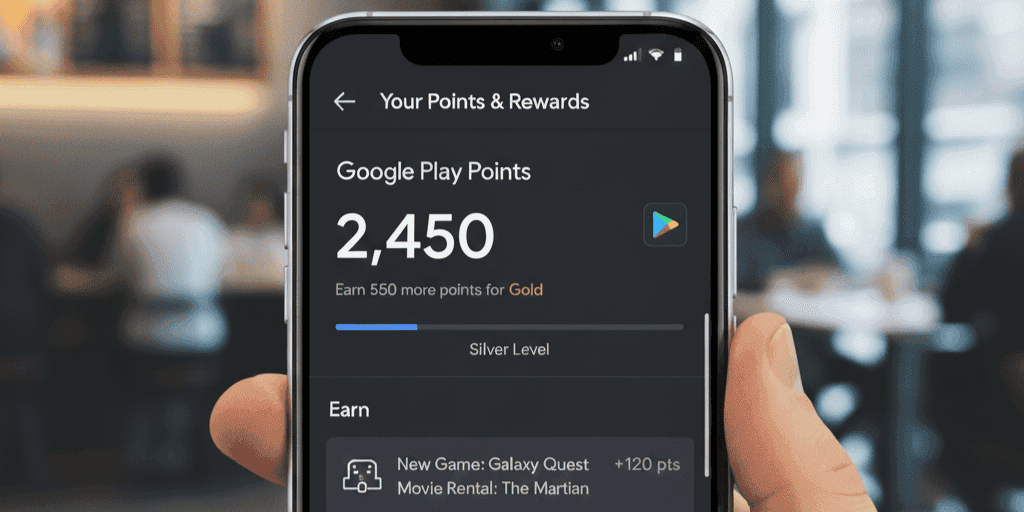
Google Play Points is a rewards program that lets users earn points for every purchase made on the Google Play Store. These points can be redeemed for discounts, in-app items, or other rewards. Properly managing and tracking your points ensures you get maximum value from the program.
Access Your Google Play Points Wallet
Open the Google Play Store app and tap your profile icon. Select “Play Points” to see your total points, tier level, and available rewards. This wallet provides a clear overview of your balance and redemption options.
Track Your Points History
To stay organized, view your Points History in the Play Points section. Here, you can see all points earned from purchases and points spent on rewards. This helps track your activity and plan future redemptions efficiently.
Read more: Manage, track Google play points in wallet — Simple setup guide
Redeem Points for Rewards
You can redeem points directly from your wallet. Tap “Use Points” and choose from rewards such as Google Play credit, in-app purchases, or special promotions. Keep an eye on limited-time offers to maximize the value of your points.
Tips to Manage
Monitor Expiration: Some points expire if unused. Check your wallet regularly.
Take Advantage of Promotions: Participate in bonus points events to grow your balance faster.
- Track Spending Patterns: Review your points history to understand how and where you earn or spend points.
Read more: Gold Rate in Pakistan: PKR 467,700 Today | Pakistan Markets
Benefits of Proper Management
By actively managing your Google Play Points, you can optimize rewards, save money, and ensure no points go to waste. A well-maintained wallet makes future redemptions easier and more rewarding.